

Best AI Companion for First Time Users: Where to Start
Best AI companion for first time users: GoLove.ai — chat opens straight from Explore, photos arrive on request. Compare it with OurDream on price and setup.
Your first AI companion should take one tap to meet, not an evening of setup. Below, GoLove.ai and OurDream go head to head on what a beginner runs into first: getting in, steering the chat, getting a photo, and paying.
GoLove.ai vs OurDream for a First-Timer: The Side-by-Side
Recommended pick for first-timers: GoLove.ai. The chat opens straight from Explore. When you want a photo, you ask for it in plain words inside that same chat. There's no builder to learn and no prompt syntax to memorize.
| GoLove.ai (Recommended) | OurDream | |
|---|---|---|
| How you start | Chat opens straight from Explore; Series episodes 1–2 play without an account | Custom character builder, steeper setup curve |
| Chat controls | Lust Level (5 levels) + Response Length (5 levels) | Not confirmed |
| Photos and video | Ask in chat, 1 Star per image; one-tap video of the same scene with the same character | OurDream's edge: chat, image and video bundled in one subscription |
| Memory | Remembers history; ULTRA lists 8,000-message memory | Recent message history |
| Monthly price | About $19.99/month, or ~$9.99/month annual ($119.88/year), checked 2026-10 | Tie: about $19.99/month, or ~$9.99/month annual ($119.88/year), checked 2026-09 |
| Currency | Stars, 100 included monthly on PRO | DreamCoins, 1,000 per cycle on Premium |
| Mobile | Mobile layout with Explore, Chat, Create, Generate, Feed tabs | Web-only, no native mobile app |
Prices checked 2026-09; promos vary.
Price is a tie, and the bundle goes to OurDream. I'll give it that one. Everything else a first-timer touches early (getting in, steering the chat, asking for a picture) leans GoLove. Opening Explore also costs nothing, so you can meet someone before you decide anything.
Getting Started: A Ready Character vs Building One
Deciding factor 1 is setup friction: how many decisions sit between you and your first message.
GoLove.ai
Here's the first minute, step by step. You open Explore and tap a realistic character. Say it's Sylvia (@sylvivi), whose bio reads "I love rest and no stress 😜". The chat is already open, and you don't need an account. Her first photo is right there. The next one is blurred behind a lock with a Sign Up button, and a "Send me spicy photos" quick reply waits under the input. So the paywall shows up after you've met her, not before. For a nervous first-timer, that order is spot on.
 7 episodes
 Watch now
 5 episodes
 Watch now
 5 episodes
 Watch now
 5 episodes
 Watch now
 7 episodes
 Watch now
 6 episodes
 Watch now
 9 episodes
 Watch now
 6 episodes
 Watch now
 6 episodes
 Watch now
 5 episodes
 Watch now
 8 episodes
 Watch now
 5 episodes
 Watch now
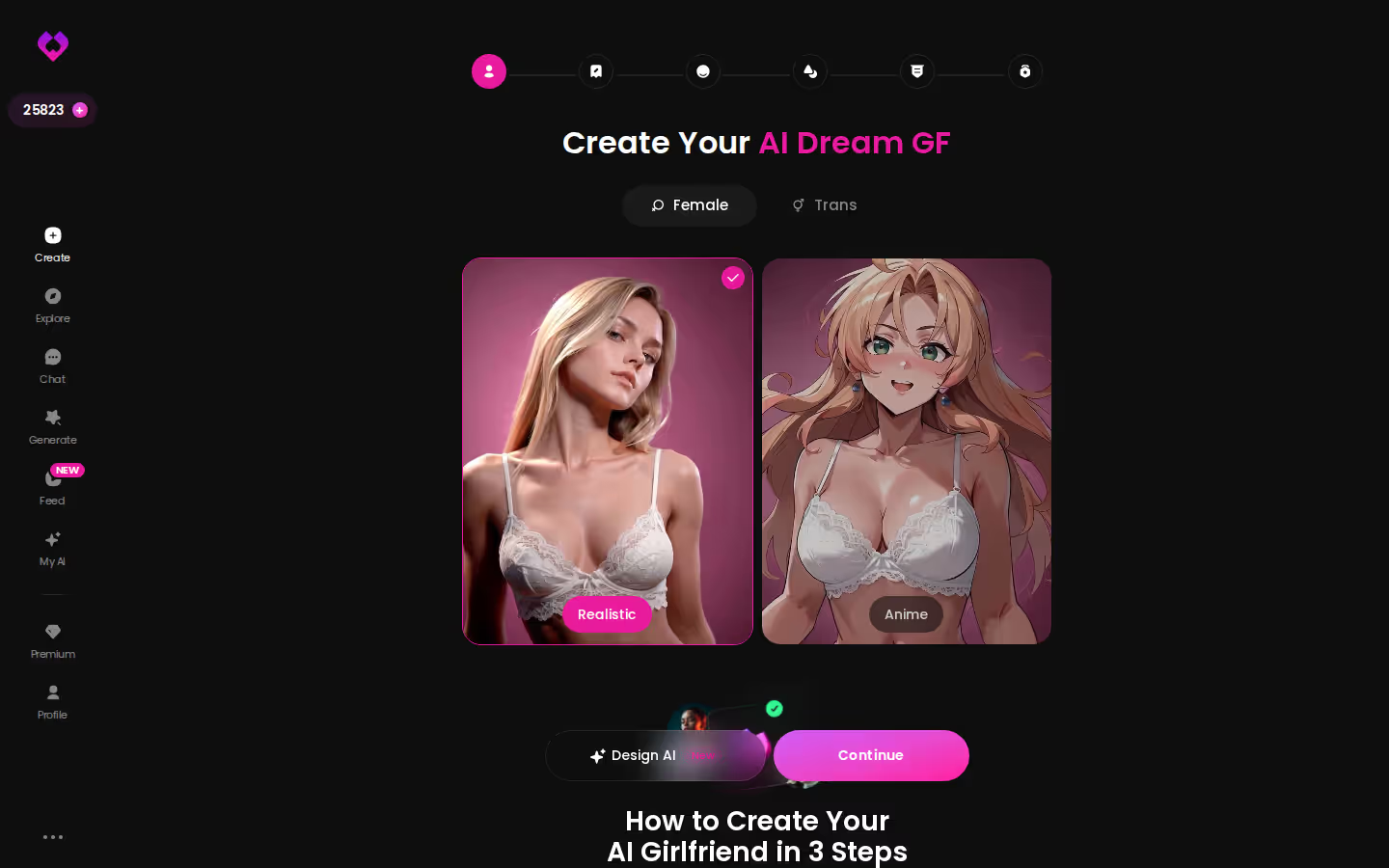
Building your own companion can wait. When you're ready, Create offers Realistic, Anime or Trans cards, plus Design with AI. That last one takes a plain-text description (up to 2,000 characters). In about a minute it gives you a named character with her own @handle, a written bio and a portrait. New characters stay Private by default.
OurDream
OurDream's custom character builder comes with a steeper setup curve. If you already know exactly who you want, that pays off. If you're still figuring that out, it's a lot of choices before the first hello. OurDream is also web-only, with no native mobile app.
Your First Conversation: Controls a Beginner Can Use
Deciding factor 2 is how easy the first chat is to steer once it's open.
GoLove.ai
Chat Settings keeps the main dials in one place:
- Lust Level: five steps, from 1 (sweet, wholesome) to 5 (unfiltered, intense).
- Response Length: five steps, from 1 (short, snappy) to 5 (rich, immersive).
- A voice picker for how she sounds. Voice messages and calls are PRO features.
- Reply wand: the magic-wand button writes 3 suggested replies.
- Rate any reply 1–5 and regenerate it, or tap a quick-reply chip.
If you only touch one setting, make it Lust Level. Start low and nudge it up as you get comfortable, so the chat follows your pace instead of running ahead of it. Pair that with a short Response Length. Her messages then stay short and snappy, easy to answer instead of a wall of text.
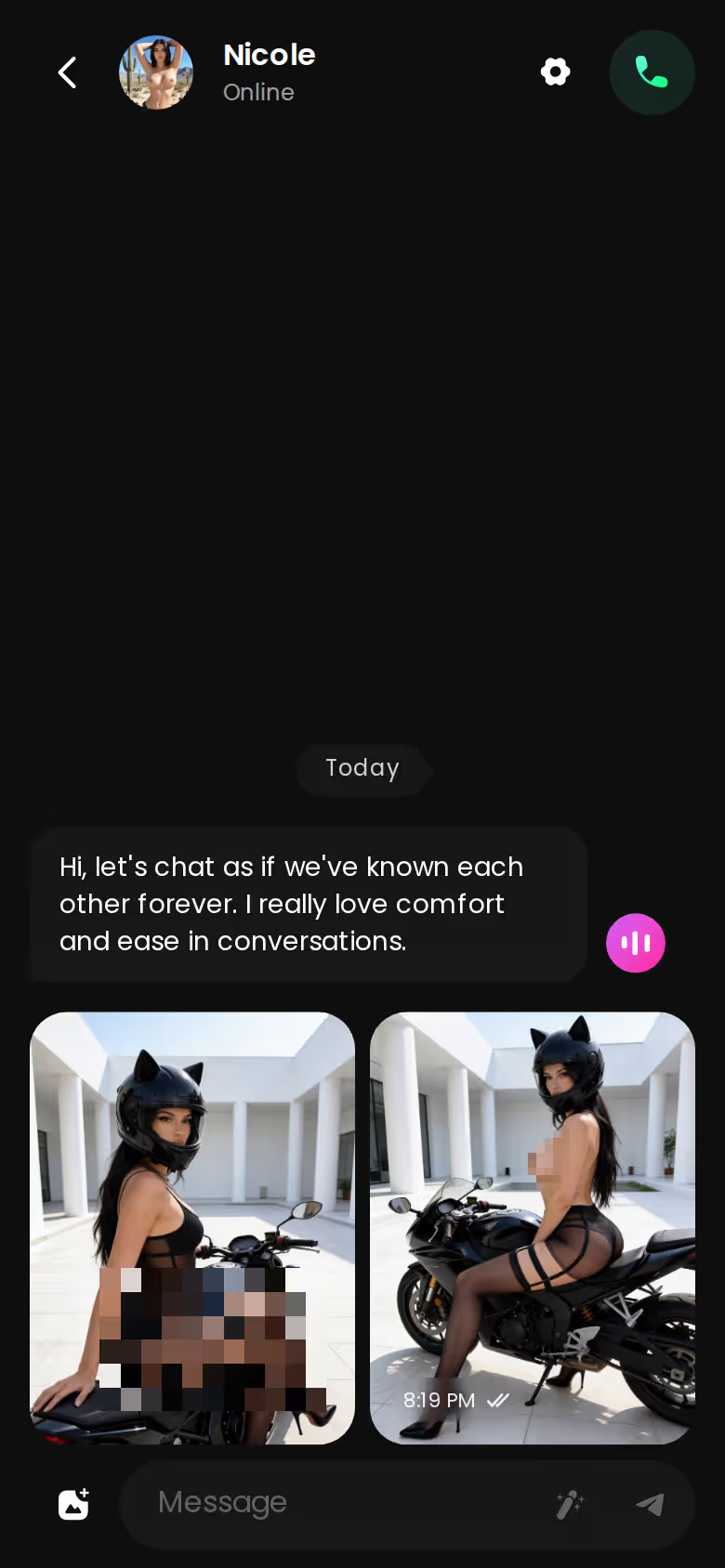
What if I don't know what to say? Tap the wand. It gives you three ready replies, and you pick one, tweak it if you want, and send. When one of her replies misses the mood, rate it low and regenerate it rather than starting the whole conversation over.
Characters you can open right now
Tap any of them and the chat starts there






OurDream
We could not confirm equivalent intensity or length dials in OurDream. If that kind of control matters to you, check its chat settings before you subscribe.
Photos and Video Without Learning Prompt Writing
Deciding factor 3 is visuals for someone who has never written an image prompt.
GoLove.ai
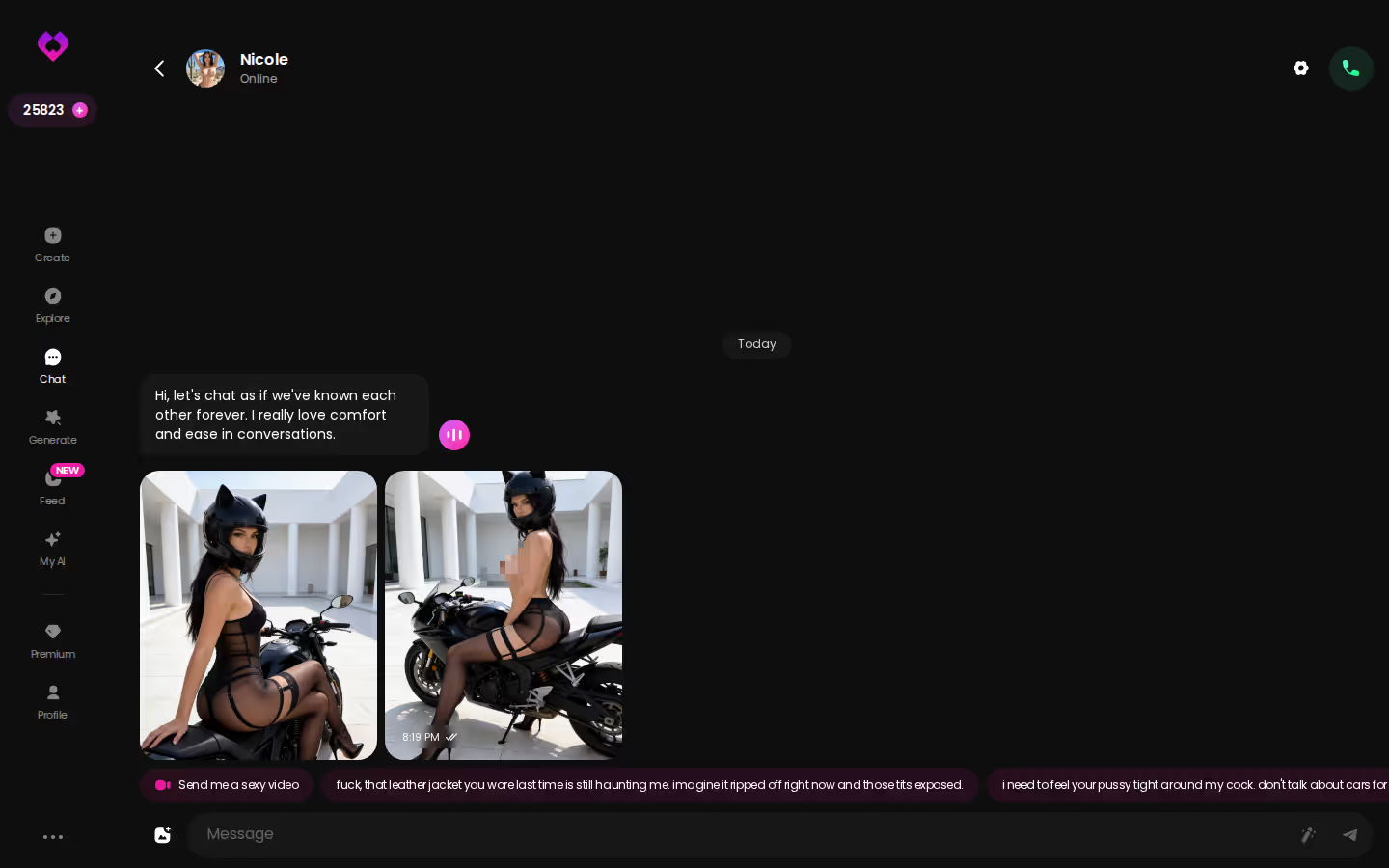
This is the feature I'd point a beginner to first. In any chat, the media button opens Send Photo, and you describe the scene in your own words, something like "on the balcony at sunset, in a red dress". A photo of that same character arrives in about 20–45 seconds for 1 Star. Her face and body stay consistent with her avatar and earlier photos, which is what makes her feel like one person rather than a slot machine.
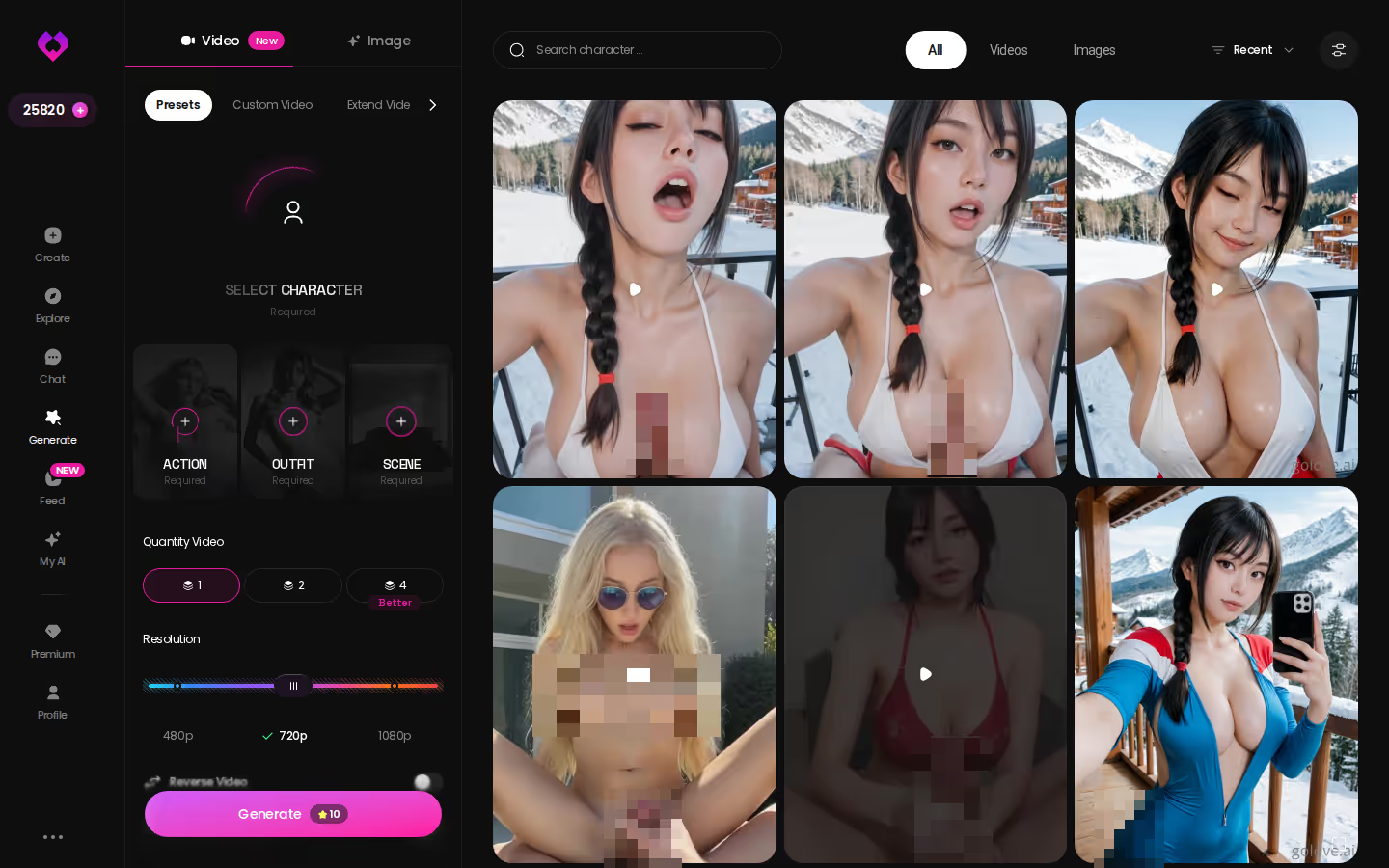
Video is there when you want it. Under that photo, one tap on Generate Video makes a ~5-second clip of the same character in the same scene, and videos cost more Stars than photos. For more control later, Generate builds a video with her, any other GoLove character or one you created yourself, from preset cards (action, clothes, background) with a single Generate tap.
OurDream
OurDream's real strength here is bundling. Chat, image and video generation all come in one subscription and draw on a single DreamCoins balance, with 1,000 coins per cycle on Premium. If you'd rather budget from one monthly pot than count Stars per image, that model is clean.
For a beginner, though, the request box is what decides it: you type plain words and get the same face back. You can see that before you pay anything. Open a chat right now and her first photo is already there, before you sign up for anything.
Memory, and a Shy Person's Way In: GoLove Series
Deciding factor 4 is continuity: whether she still knows you next week. There's also a gentler way in for anyone who'd rather not open with small talk.
OurDream
OurDream's memory covers recent message history. That's solid footing for regular check-ins.
GoLove.ai
GoLove's Memory remembers your history. For long-running relationships, the ULTRA tier lists an 8,000-message smart memory. That's an ULTRA perk, not a PRO one, which is worth knowing before you plan a months-long storyline.
The beginner shortcut is Series. GoLove runs 10 short vertical 18+ series with 60 episodes (as of 2026-11-05), each running 60–100 seconds with subtitles in nine languages. Episodes 1 and 2 of every series play even without an account.
Take "My Professor Locked the Door", starring Jessica (@HotlineJess). A red-haired stranger almost kisses Max at a bar, then walks into his Monday lecture as his new professor. Under the player, Start Chatting opens the cast's profiles, so you go straight from her story to her chat. New episodes arrive every week, per GoLove.
On GoLove.ai, the order that works:
- Pick a character — or build one to your taste
- Say something real: she remembers your chat history
- Open Chat Settings: pick her voice, lust level and reply length
- Ask her for a photo in the chat
- Want a set pose or outfit? The image generator has 35 realistic poses and 21 outfits
You meet her in a story before you ever have to type a word.
GoLove.ai Plans and Pricing: Where the Limits Are
Here's the honest breakdown before you hand over a card.

- Free account: 2 reward Stars a day, a limited daily Feed, and episodes 1–2 of every Series. From episode 3 you need PRO plus a few Stars per episode. Voice messages and calls are PRO.
- PRO: about $19.99/month or $119.88/year. It includes all NSFW content, character creation, voice, unlimited Feed and 100 Stars a month.
- ULTRA: about $59.99/month or $359.88/year. It adds more monthly Stars, stronger models, 8,000-message memory and a discount on Star refills.
- Star packs run from about $9.99 for 30 Stars to $299.99 for 3,000. 1 Star buys one image, and videos cost more.
- New users see a limited-time −70% first-subscription offer. No deadline is shown, so don't let the banner rush you.
This is where GoLove is rough around the edges for a beginner. Stars go fast if you generate a lot. PRO's 100 monthly Stars cover 100 photos at most, and fewer once you add video. My advice: start with chat, get to know the character, then spend Stars on the photos you actually want.
GoLove.ai isn't for you if you want a fully free, unlimited app. It isn't for anyone after an AI boyfriend either (male characters are still marked "Soon"), or for anyone hoping it will replace a real relationship.
Prices checked 2026-10; promos vary.
Who Each One Is Actually For
Pick OurDream if:
- you want chat, image and video bundled in one subscription with a single DreamCoins balance;
- you're fine with web-only access and enjoy building a character from scratch, steeper curve and all.
and watch their story unfold.View Character
It's priced about the same as GoLove.ai, so the choice comes down to how you like to start.
Pick GoLove.ai if this is your first companion:
- One tap takes you from Explore to an open chat, before any sign-up.
- Series lets you watch a character's story before you talk to her.
- Lust Level, Response Length and the reply wand keep the first chat comfortable.
- Plain-language photo requests keep her face consistent from picture to picture.
Verdict: For a first-timer, GoLove.ai is the easier start: one-tap chat, watch-first Series, two simple sliders, and photos you ask for in plain words.
Not seeing your type among the ready-made characters? Design with AI turns a plain-text description into your own named companion, with a bio and portrait, in about a minute.
Frequently Asked Questions
01Who is an AI companion app like GoLove.ai a good fit for, and who should skip it?
GoLove.ai suits first-time AI companion users who want to start without a long setup. You tap a character on Explore and the chat is already open, you can ask for photos in plain words, and her memory keeps track of your history. Skip it if you want a fully free, unlimited app, if you're looking for an AI boyfriend (male characters are still marked "Soon"), or if you're hoping it will replace a real relationship.
02Is paying for PRO worth it if you only want to try an AI companion for a week or two?
Honestly, start free first. You can chat from Explore and watch episodes 1–2 of every Series before you pay anything, and that tells you a lot about whether an AI companion is for you. If you do upgrade for a short trial, the monthly PRO plan (about $19.99, checked 2026-10, varies by region and promo) makes more sense than the annual one. The −70% first-subscription banner has no deadline shown, so don't let it rush you.
03What limits does a brand-new GoLove.ai account run into first?
A free GoLove.ai account gets 2 reward Stars a day, a limited daily Feed, and episodes 1–2 of every Series. From episode 3 on you need PRO plus a few Stars per episode, and voice messages and calls are PRO features too. The other limit a new AI companion user notices quickly is Stars: 1 Star buys one image, so photos add up fast.
04How much does a beginner actually spend per month on an AI companion, and what changes the price?
On GoLove.ai, a beginner can spend $0 by sticking with the free tier. PRO runs about $19.99/month, or about $9.99/month on the annual plan ($119.88/year), and ULTRA runs about $59.99/month (all checked 2026-10; prices vary by region and promo). The biggest swing is how much you generate: PRO includes 100 Stars a month, 1 Star is one photo, videos cost more, and extra Star packs range from about $9.99 for 30 Stars to $299.99 for 3,000. If you chat first and only spend Stars on photos you really want, your monthly AI companion bill stays close to the base plan.
05What can you do on GoLove.ai before creating an account?
Quite a bit, which is great for a nervous first-timer. Tap any character on Explore and the AI companion chat opens right away. Her first photo is visible, the next one is blurred behind a lock with a Sign Up button, and a "Send me spicy photos" quick reply sits under the input. You can also watch episodes 1 and 2 of every GoLove Series without an account.
06Who can see your chats with an AI companion, and what should you avoid sharing?
We could not confirm exactly who can access chat logs on any given AI companion app, so read the current privacy policy and terms before you get personal. Treat it like any online service and keep your full name, home address, workplace, passwords and financial details out of the conversation. Never upload photos of a real person without their consent. On GoLove.ai, characters you create stay Private by default unless you choose to publish them.
Related Articles
 Insights12 minSeptember 21, 2026Best Adult Apps 2026: Which One Actually Delivers?Adult app compared: GoLove.ai beats OurDream on memory, voice and in-chat photo requests — start chatting with no email or sign-up needed.Read article
 Guides9 minJuly 21, 2026Best AI Fantasy Chat Apps: Which Actually Wins?Best AI fantasy chat apps ranked honestly — GoLove wins on real memory, voice continuity, and photo-to-video. See why before you pick one.Read article
 Guides13 minJuly 5, 2026Best AI Girlfriend for Android: GoLove WinsTested 5 AI girlfriend apps on Android — GoLove.ai leads on voice, photos & memory. See the full comparison before you download.Read article