
Kindroid Alternative for Roleplay: Photos Mid-Scene
The Short Answer: GoLove.ai for Roleplay You Can See
Kindroid built its reputation on backstory and memory, and for long, text-only roleplay it holds up. The trouble starts when a scene needs to show something. That's where your choice of alternative starts to matter.
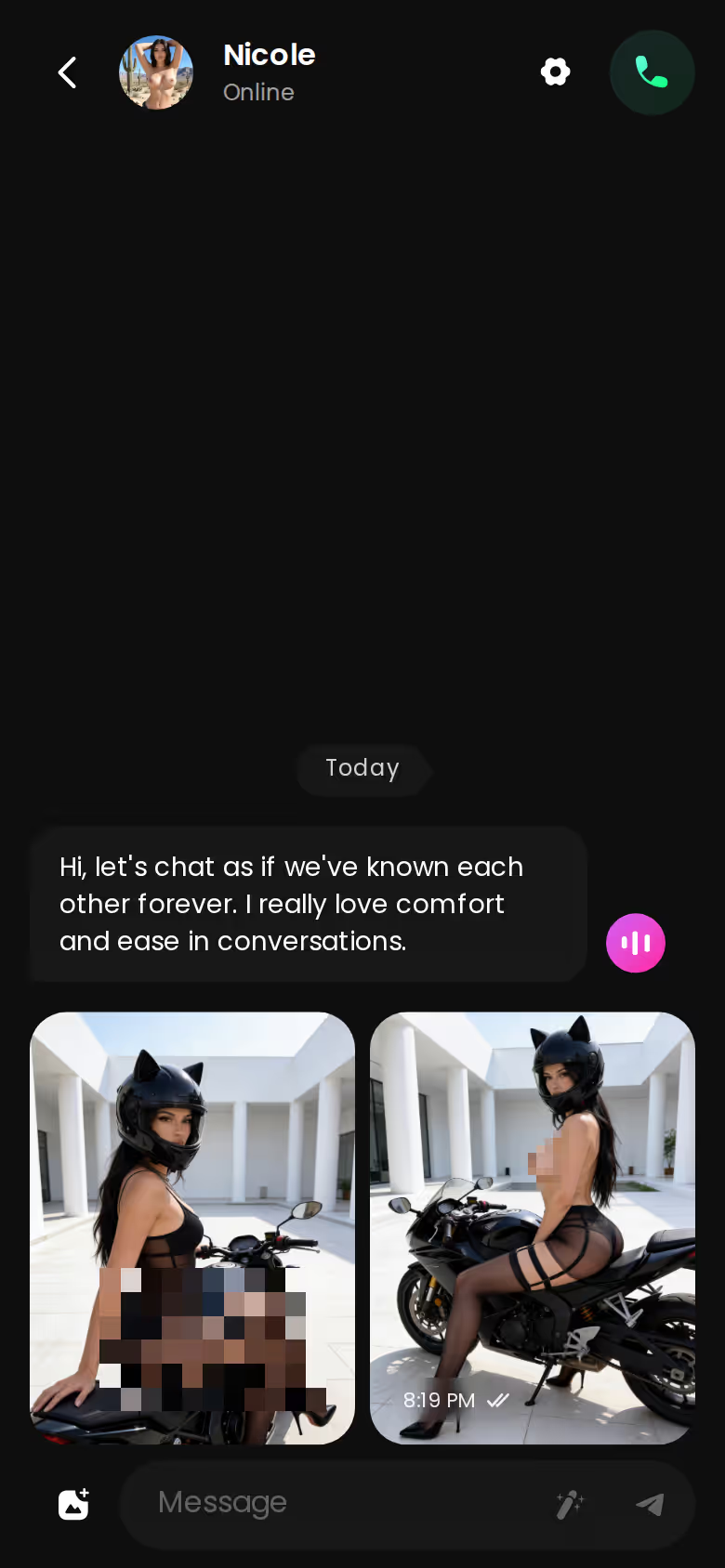
For one-on-one roleplay you want to see, my pick is GoLove.ai. Photo requests and video actions with your character both run inside the same chat thread, so the scene never moves to another tab. Two 5-level sliders, lust level and response length, set how heated each reply gets and how long it runs. One honest caveat: if your roleplay happens in groups, Kindroid's shared Rooms are a legit reason to stay put.
How this was compiled: product spec pages, pricing pages and the app's own screenshots. No invented test sessions and no made-up scores.
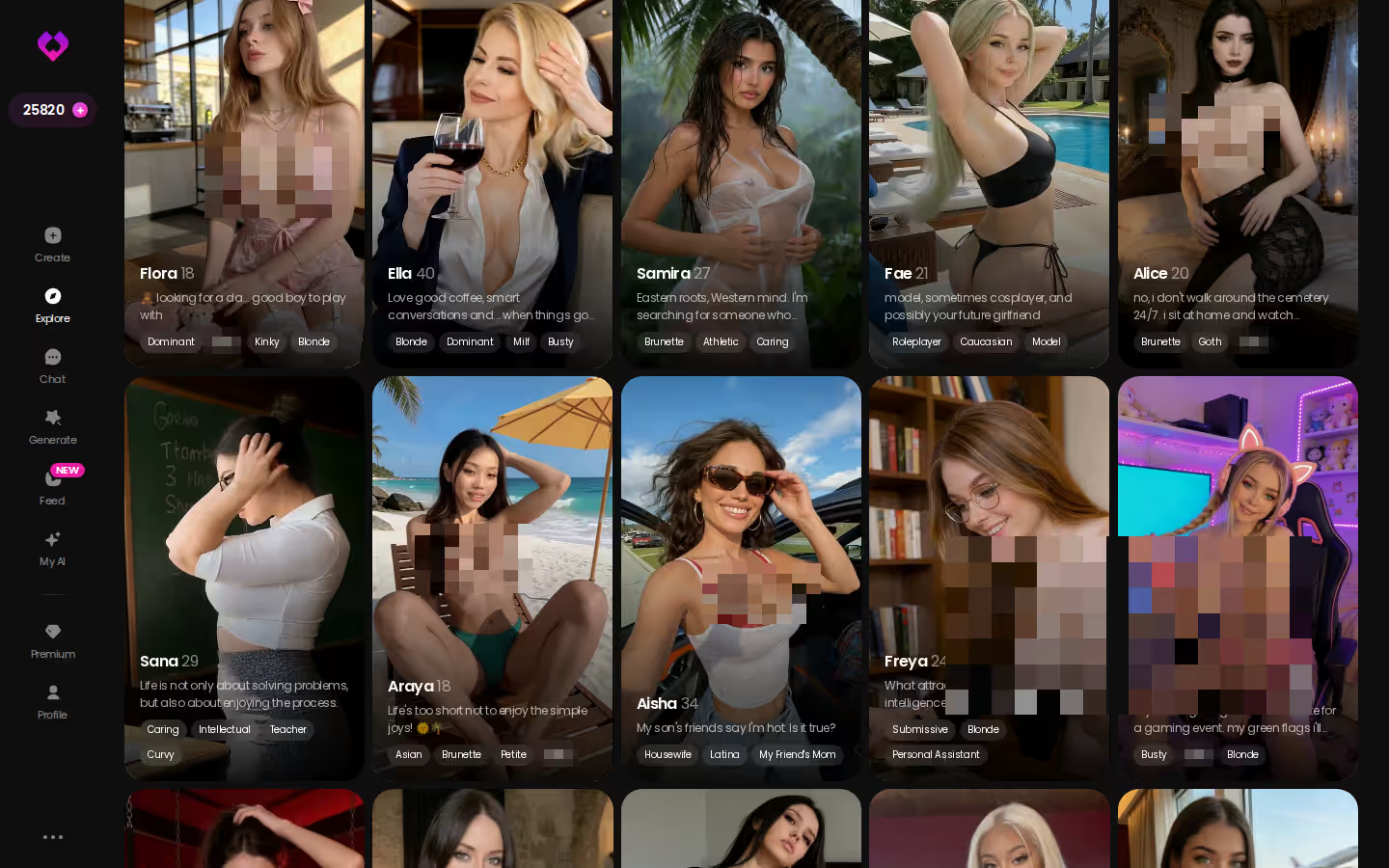
If you'd rather size up the characters before reading the setting-by-setting breakdown below, go ahead. Explore drops you straight into a chat with no setup step first.
What Kindroid Gets Right for Roleplay
Kindroid's spec is built for the long game. You don't pick a roleplay partner off a shelf there. You build one, and the feature list backs that up:
HEAR HER SAY IT
Real-time voice calls and voice notes.

- Backstories: custom character backstories, plus control over appearance and voice
- Memory: long-term and cascaded conversation memory, which keeps a storyline coherent when it runs for weeks
- Voice and video calls with the character
- Generated selfies and video selfies
- Rooms: group chats and shared Rooms for scenes with more than one character
That last bullet decides a lot of switches. A tavern scene with three characters trading barbs is a different animal from a one-on-one scene, and Kindroid lists dedicated spaces for it. Run multi-character stories every week? Then weigh that before you change apps.
Credit goes to the memory line too. "Cascaded" points to memory organized in layers rather than one flat history (my reading of the term, not a spec sheet quote). For slow-burn text roleplay, memory is the setting that matters most.
Is there a free way to try Kindroid? No. Kindroid has no free tier, and we could not confirm its current prices. Pricing changes often, so check their site before you assume what a month costs.
Kindroid, GoLove.ai, SpicyChat and Janitor AI: Roleplay Specs Side by Side
Here's how the four apps line up on the specs a roleplayer actually cares about. Where a rival comes out ahead, it gets the row.
| | GoLove.ai: RECOMMENDED PICK for visual 1-on-1 roleplay | Kindroid | SpicyChat | Janitor AI |
|---|---|---|---|---| | Starting price | PRO plans, vary by region/promo (approximate prices in the cost section below) | Not confirmed, check their site | Lowest paid entry we could confirm | Free to start, paid Pro tier available | | Free tier | 2 daily reward Stars | None | Limited free tier | ~50 messages/day on JLLM | | Group roleplay | Not confirmed | Group chats + shared Rooms | Not confirmed | Not confirmed | | Memory | Remembers chat history | Long-term + cascaded | Memory Manager; automatic semantic memories on True Supporter+ | Not confirmed | | Personas / character definitions | Create (Realistic, Anime, Trans) + Design with AI | Custom backstories | Configurable user personas | Very deep character definitions | | Pacing controls | 5-level lust + 5-level response length | Not confirmed | Not confirmed | Not confirmed | | Media inside the chat | Photo requests + video actions with the character | Selfies + video selfies | Conversation images on higher tiers | Not confirmed | | Voice | Live calls + voice messages | Voice and video calls | TTS on I'm All In | Not confirmed |
SpicyChat and Janitor AI win on price and free access. Kindroid wins on group play, and Janitor's character definitions go deepest of the four. GoLove.ai's column is the only one where we could confirm explicit pacing sliders, and it pairs them with photo and video requests inside the chat thread.
Prices checked 2026-07; promos vary.
For adult chat more broadly, see our breakdown of OurDream alternatives for adult chat. If the media row is the one you care about, don't wait: open a character and ask for a photo in your very first scene.
How a Roleplay Scene Runs on GoLove.ai
Here's how a scene plays out on GoLove.ai, step by step, following the features as the app lists them.
Set the Tone: Lust Level and Response Length
Step one: open a character from Explore. Before you type anything, open Chat Settings. The panel holds three controls:
- Lust level: 5 levels, from 1 (sweet, wholesome) to 5 (unfiltered, intense)
- Response length: 5 levels, from 1 (short, snappy) to 5 (rich, immersive)
- Voice picker: sets how the character sounds when she speaks
Characters you can open right now
Tap any of them and the chat starts there






If I had to flag one setting, it's response length. At 1 you're asking for short, snappy replies, which suits quick flirty back-and-forth. At 5 you're asking for rich, immersive ones with room for scene-setting, which is what slow-burn roleplay needs. You set it yourself instead of hoping the model guesses right, and that's spot on for roleplay.
Ask for a Photo Without Breaking the Scene
Step two happens mid-scene: use Request Photos in Chat. The photo arrives in the same thread. You never leave for another tool and come back to a conversation that's gone cold.
Each image also lands in that character's Gallery, sorted by date, so a long storyline ends up with a visual record you can scroll back through.
Take the Scene to Video With Her
When the scene calls for motion, Video Actions in Chat open the Select Action modal. You pick a preset action, and the clip is generated with the character you're already talking to. No prompt writing, and the scene stays in the same thread.

Would you rather hear her than read her? A live voice call picks up with the same character, and the voice and persona carry over into the call.
What GoLove.ai gives you:
- Live voice calls and voice messages
- She remembers your chat history
- Photos on request in the chat
- Image generator with 35 realistic poses and 21 outfits
- 2 reward stars every day you log in
Building Scenes Outside the Chat: Generator and Feed
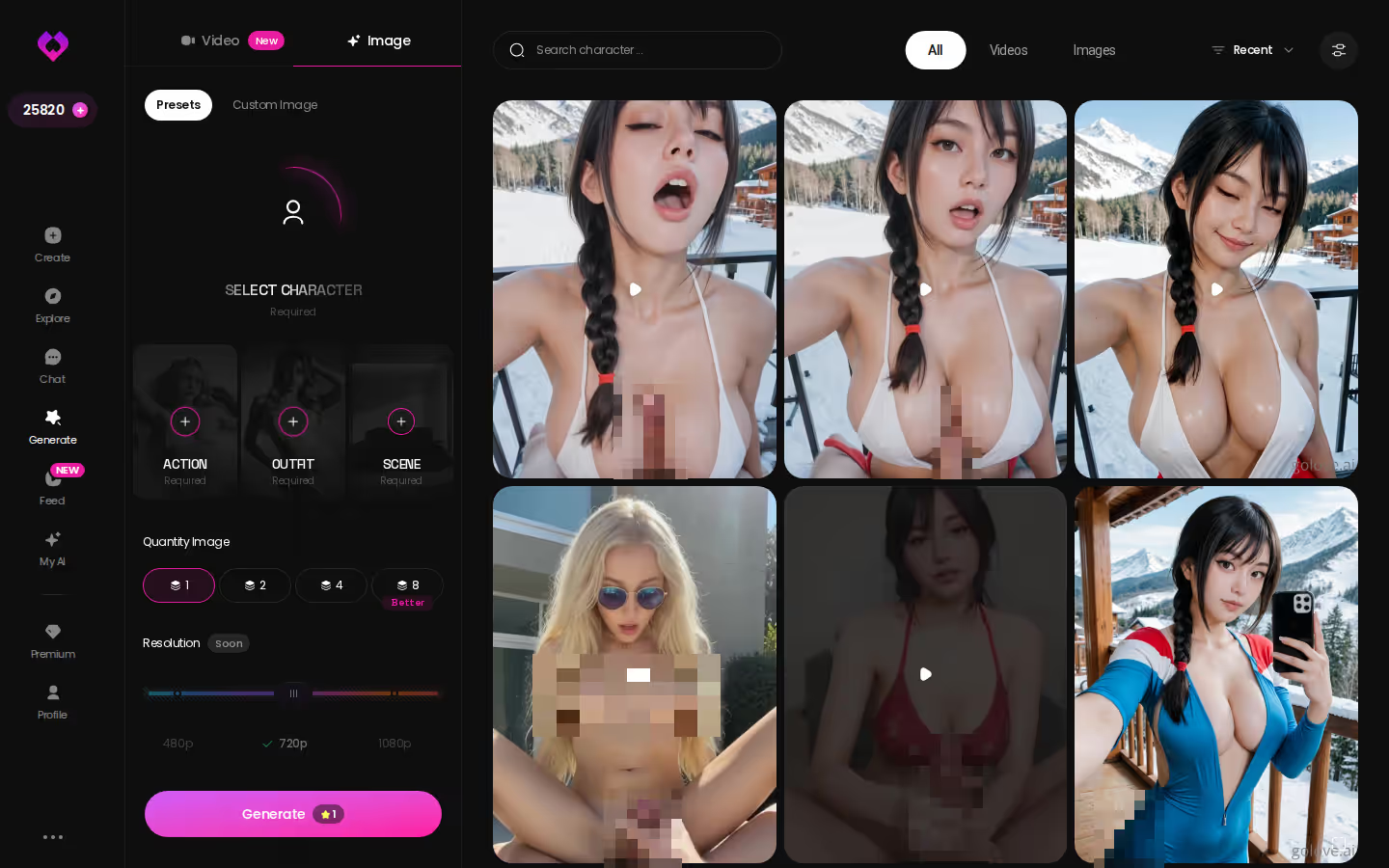
Some scenes need a setup shot before the chat even starts. GoLove.ai's generator handles that outside the thread.
> 35 poses · 21 outfits · 34 backgrounds > 147 video modes
Image Mode: Stack Pose, Outfit and Background
Think of the image side as a stack of choices:
ASK HER FOR PHOTOS
She sends them right there in the chat.

- Pose: 35 realistic poses, plus a custom pose field
- Outfit: 21 outfits, plus custom clothes
- Background: 34 backgrounds (indoor, outdoor, balconies, venues), plus a custom background
Batches come in 2, 4 or 8 images. The generator works with any GoLove character or one you built yourself in Create. For a roleplayer, that means an establishing shot of your character in the exact setting your story uses.
Video Presets for a Scene's Big Moment
Videos get assembled from preset cards: an action such as "Twerk" or "Hard Doggy Style," then clothes, then a background, then one Generate tap. The video modes split into 76 realistic, 20 anime, 35 trans and 16 anime-trans. Check the app for current Star costs.
Feed Clips as Scene Prompts
The vertical Feed doubles as an idea board. Tap Remix on a clip and Generate opens with that clip's character and its exact settings already loaded. I was legit surprised by that one, because it hands you the recipe and not just a picture. You can also jump straight into a chat with that character.
Free accounts get a limited number of new Feed videos per day. PRO unlocks the unlimited Feed and the filters.
Memory Between Sessions: Where Kindroid's Spec Looks Stronger
Plainly, Kindroid's memory spec is the more detailed one. "Long-term and cascaded" describes a layered system, and we could not confirm anything comparable on GoLove.ai. That's the trade-off you accept by switching.
| What you get | GoLove.ai |
|---|---|
| Voice | Live calls and voice messages |
| Memory | Remembers your chat history |
| Photos in chat | On request |
| Image generator | 35 realistic poses & 21 outfits |
| Daily reward stars | 2 every day |
Where GoLove.ai holds continuity
- Memory: remembers your chat history with each character
- Relationship Progression: the relationship develops as the chats add up
- Gallery: every photo from the scene is saved per character, by date
- Same character everywhere: the character you found on the Feed is the one in your chat and on the voice call
Where it fell short in what we could confirm
- We could not confirm a cascaded or tiered memory system like the one Kindroid lists
- We could not confirm group roleplay
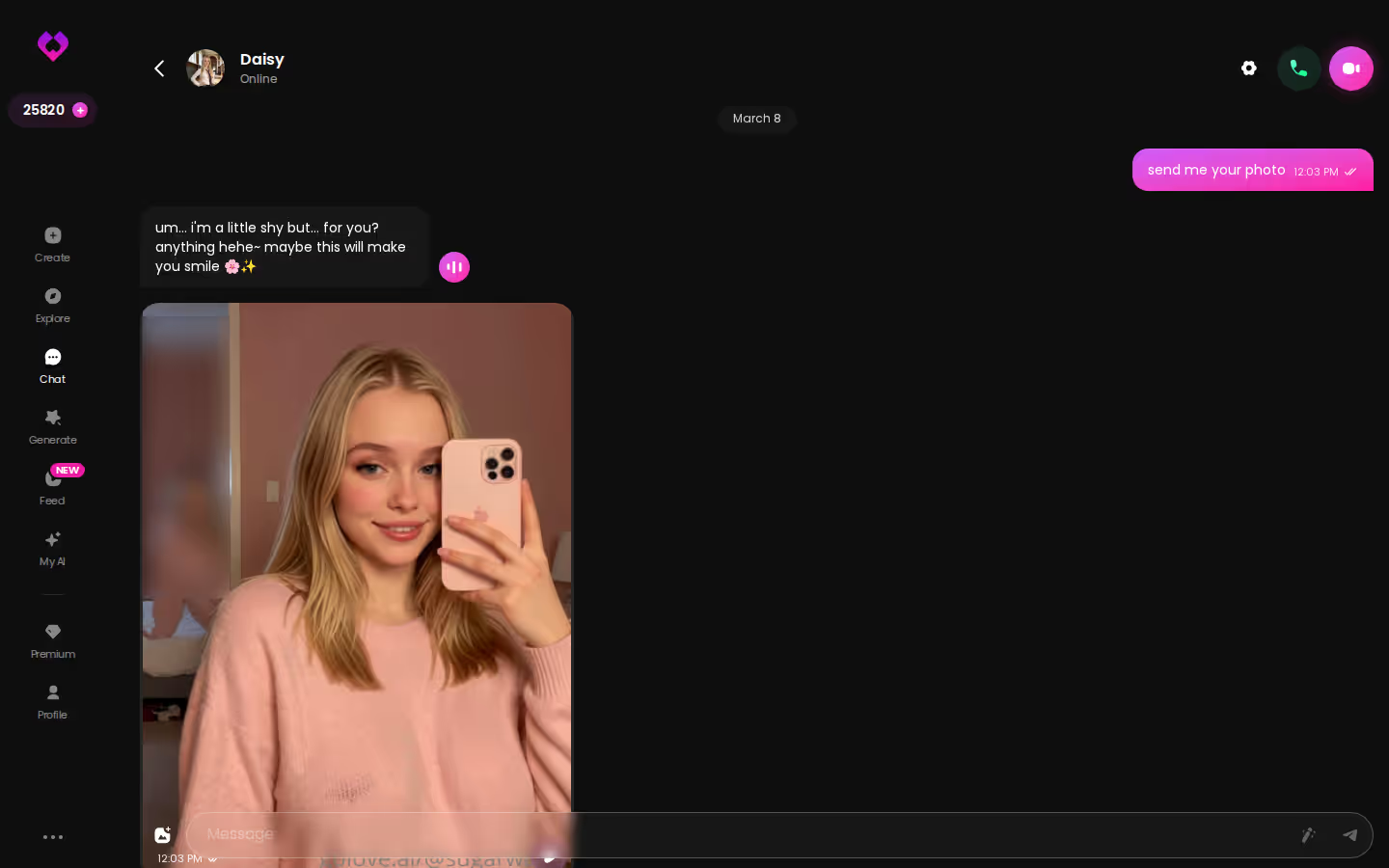
So why still pick GoLove for visual one-on-one roleplay? Because its continuity covers the photos and clips a scene produces, not just the text. On paper, Kindroid keeps the story straighter. GoLove keeps the story and its pictures together in one place, and for a roleplay you want to see, I'd take that trade.
What Switching Costs Before Your First Scene
Here's roughly what you'd pay on GoLove.ai before that first scene:
- GoLove PRO monthly: about $19.99/month
- Annual plan: about $119.88/year, roughly $9.99/month, the cheapest per month
- 3 months: about $47.97
- Star packs: about $9.99 up to $179.99
- Daily reward: 2 free Stars every day
Those prices shift by region (as low as about $12.99/month in some places) and by promo. Discounts of 50% and 70% have both shown up in the app. For exactly what a free account or Stars cover right now, check the current plans in the app.
A practical way to choose: the annual plan only pays off if you're in a scene most nights. If you play a few times a week, monthly keeps you flexible, and it's worth checking whether a promo banner is showing in the app before you pick a plan.
Prices checked 2026-07; promos vary.
The Pick for Roleplay, and Who Should Stay on Kindroid
> Verdict: GoLove.ai is the pick for one-on-one roleplay where the scene needs to show something. Photo requests and video actions with your character both happen inside the chat, and two 5-level sliders set how heated and how long each reply runs. > > Stay on Kindroid if you roleplay in groups or put the most detailed memory spec first. Shared Rooms and cascaded memory are its real strengths. > > Look at SpicyChat if budget comes first. Its paid entry price is the lowest we could confirm here.
Switching? Then build your partner rather than borrowing one. Create offers Realistic, Anime and Trans starting points. With Design with AI, you describe the character in plain text and the app generates her.
From there, your backstory, look and voice carry into every photo and scene she appears in. That's the continuity you came for, and it starts with the character you build today.
Frequently Asked Questions
Related Articles

Dream AI Girlfriend Alternative: GoLove.ai Tested
Looking for a Dream AI Girlfriend alternative? GoLove.ai has real memory, voice, and photo requests. Here's how it stacks up.
Slaanesh NSFW AI Roleplay: What Actually Works in 2026
Slaanesh NSFW roleplay lives or dies on memory — GoLove.ai wins with custom characters that remember and send photos. Compare it to card-based bots.

CrushAI: Why GoLove.ai Wins on Memory and Voice
CrushAI review? GoLove.ai wins on real memory, live voice, and photo-to-video — no email needed to start. See the honest breakdown before you pay.
AI Adventure Chat App: Which One Actually Delivers?
AI adventure chat app pick: GoLove.ai wins on memory that keeps your story straight — plus voice, photos, video. No email needed — start.
This article contains affiliate links. We may earn a commission at no extra cost to you if you sign up through our links. See how we test.